Unlike traditional wallets that store physical bills, cryptocurrency wallets don’t hold the actual cryptocurrency itself. Instead, they securely store cryptographic keys that come in two forms: public keys and private keys.
- Public keys, following the elliptic curve cryptography protocol, are complex mathematical strings that act like your bank account number, allowing others to send you crypto.
- Private keys, on the other hand, are even more sensitive. These are often represented as a 256-bit number and act as the equivalent of your PIN, used for signing transactions and spending via cryptographic signatures.
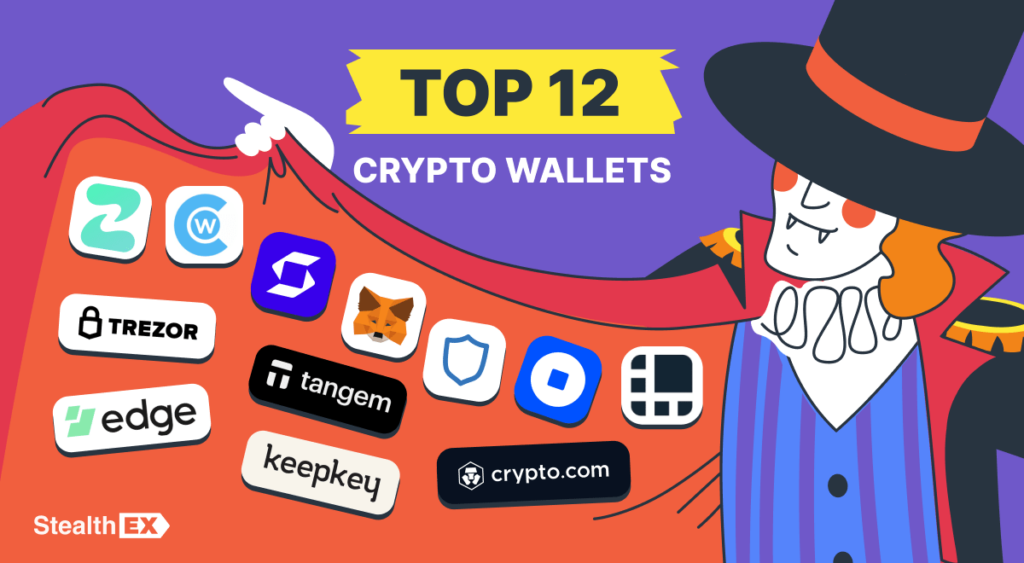
There are lots of crypto wallets on the market today, each offering helpful features and security measures. From user-friendly mobile apps with hot storage functionality to cold storage devices built for maximum security through hardware isolation and often implementing multi-signature technology for added transaction authorization, the optimal choice depends on your investment style and risk tolerance. A seasoned investor with a sizable portfolio might prioritize the robust security of a hardware wallet, while an amateur user might favor the convenience of a mobile app with multi-signature capabilities for enhanced security. That’s why it’s essential to select the perfect fit for your crypto journey.
Understanding the functionalities and security considerations of each option, including hot versus cold storage, public and private key management, and potential cryptographic protocols used, is a way to make an informed decision and protect your digital assets.
The Top 12 Crypto Wallets to Consider Now
Here are the best crypto wallets in terms of functionality and security:
- Trust: A Security-Focused Wallet for Long-Term Investors.
- Cake Walllet: A User-Friendly Mobile Wallet with Enhanced Features
- Edge: A Comprehensive Mobile Wallet for Secure Crypto Management
- Ledger: A Safe Hardware Wallet for Every Crypto Need.
- Trezor: An Open-Source Wallet for Thousands of Cryptocurrencies.
- KeepKey: A User-Friendly Hardware Wallet With Staking Features.
- Coinbase: A Protected and Versatile Wallet for Beginners.
- MetaMask: The Most Popular Wallet for dApps and Browser Integration.
- ZenGo: A Keyless Wallet for Easy Management.
- Crypto.com: The Best DeFi Wallet for Effortless Yield Generation.
- Tangem: A Smart Card Hardware Wallet for On-the-Go Security
- SafePal: A Fortress Hardware Wallet With DEX Integration.
Trust: A Security-Focused Wallet for Long-Term Investors
Trust is designed for the safe storage of cryptocurrencies. The main task is to ensure the safety of your digital assets while you follow a “buy and hold” strategy, counting on the further growth of the crypto industry. This wallet is suitable for long-term investors who want to avoid risking their savings.
The main Trust advantage is a high level of security. Users have full control over their private keys. This means that only you can access your funds. Even the app developers don’t have access to them.
Another important benefit is the support of a huge number of cryptocurrencies. You can store popular coins like BTC, ETH, BNB, TRX, and hundreds of lesser-known altcoins. The app regularly adds support for new assets.
Furthermore, this wallet has a convenient cryptocurrency exchange tool. It allows you to easily convert one coin to another right in the app, without the need to use third-party exchanges. The exchange process is simple, even for beginners.
Trust supports the work with dApps in popular blockchain networks, like Ethereum, BSC, and others. Which distinguishes the app from many other wallets, where dApps aren’t available.
Cake Walllet: Your Keys, Your Coins
Cake is a versatile non-custodial mobile wallet designed to offer ease of use without compromising on security. It supports a wide range of cryptocurrencies and provides additional functionalities to enhance the user experience.

Cake Wallet offers seamless integration with various blockchains, allowing users to manage multiple assets within a single app. Its intuitive interface makes it easy for both beginners and experienced users to navigate and perform transactions effortlessly.
Key Features:
- Multi-Currency Support: Supports Bitcoin, Ethereum, and numerous other altcoins, enabling diversified portfolio management.
- Built-In Exchange: Users can swap cryptocurrencies directly within the app without needing external exchanges.
- Enhanced Security: Implements strong encryption standards and offers biometric authentication to protect user funds.
- User-Friendly Interface: Designed with simplicity in mind, making it accessible for users of all experience levels.
- Open-Source Code: Ensures transparency and allows the community to audit and improve the wallet’s security features.
Cake Wallet is an excellent choice for users looking for a reliable mobile wallet that balances functionality with ease of use.
Edge: A Comprehensive Mobile Wallet for Secure Crypto Management
Edge Wallet is renowned for its emphasis on security and user privacy. It offers a comprehensive suite of features that cater to both novice and seasoned crypto enthusiasts.

Edge Wallet stands out with its client-side encryption, ensuring that users’ private keys are never exposed to external servers. This commitment to privacy makes it a trustworthy option for those concerned about the safety of their digital assets.
Key Features:
- Multi-Asset Support: Handles a wide array of cryptocurrencies, allowing users to manage their entire portfolio within a single application.
- User Privacy: Does not require personal information to create a wallet, maintaining anonymity for its users.
- Secure Backup Options: Provides encrypted backups that can be stored on various cloud services, ensuring users can recover their wallets if needed.
- In-App Exchange: Facilitates easy swapping of assets without leaving the wallet interface.
- Integration with Hardware Wallets: Supports integration with popular hardware wallets for enhanced security.
- Intuitive Design: Offers a clean and straightforward user interface, making navigation and transaction management seamless.
Edge Wallet is ideal for users who prioritize security and privacy while seeking a feature-rich mobile wallet experience.
Ledger: A Safe Hardware Wallet for Every Crypto Need
Ledger offers several hardware wallets, each supporting over 5,500 coins and NFTs. They all work with the Ledger Live app for various devices.

1. Ledger Nano S Plus is an upgraded version of the previous model. It’s the most affordable type with these features:
- Uses the CC EAL6+ chip to store private keys;
- OLED display 128×64 pixels;
- Resistant to physical attacks, water, and high temperatures.
It only comes with a USB-C to USB-A cable, so a separate USB-C to USB-C cable may be required.
2. Ledger Nano X is a hardware wallet of the new generation with these features:
- Increased protection by the CC EAL5+ chip;
- OLED display 128×64 pixels;
- Bluetooth connection with a smartphone.
The model outperforms competing models in terms of functionality.
3. Ledger Stax is a new hardware device with advanced functionality and enhanced security. It looks stylish with its iPad-like design, touchscreen, curved display, and these benefits:
- The top-of-the-line CC EAL6+ chip;
- E Ink 400×672 pixels screen;
- Bluetooth support;
- Qi wireless charging;
- A heavy-duty metal and ceramic body.
The high cost may put off potential buyers. But it may be one of the best options in terms of security and convenience.
Trezor: An Open-Source Wallet for Thousands of Cryptocurrencies
Trezor is an open-source hardware wallet for storing thousands of cryptocurrencies. It’s one of the most reliable wallets that supports all popular altcoins.
Trezor hardware wallets are built on a foundation of entirely open-source code. This means anyone can scrutinize defenses, unearthing vulnerabilities before they become threats. This transparency fosters a community of engineers who are constantly honing Trezor’s shield.
What’s more, Trezor Code welcomes contributions from the brightest minds in crypto. This collaborative spirit fosters innovation, with Trezor pioneering industry standards like BIP39 (a protocol for generating human-readable recovery phrases) and BIP44 (a system for hierarchical deterministic key generation). These open-source protocols empower users and strengthen the entire crypto ecosystem.
Investors should also know that Trezor hardware wallets aren’t locked to just Bitcoin. This wallet provides secure storage for over 8,000 coins and tokens, both natively supported in the Trezor Suite and through trusted integrations with third-party tools.
KeepKey: A User-Friendly Hardware Wallet With Staking Features
The KeepKey wallet was released in 2015, and to this day, it remains one of the most popular hardware wallets. It’s distinguished from other models by its durable metal case and large screen. Users can exchange coins inside the wallet and place them in the staking protocol.

This wallet supports over 40 top coins and ERC-20 tokens. Through integration with MyEtherWallet, the list expands to over a hundred cryptocurrencies.
Using KeepKey, you can exchange assets within the wallet and stake via the built-in ShapeShift tool.
To create a wallet, it’s enough to create a strong PIN code. Verification isn’t needed to work with digital coins. KYC will be required only for fiat transactions.
Also, each transaction is conducted in a separate environment, inaccessible to viruses and unauthorized interference.
The device can be connected to Mycelium, MyEtherWallet, Electrum, and other programs, which enhances KeepKey performance.
Coinbase: A Protected and Versatile Wallet for Beginners
The Coinbase wallet is part of the ecosystem created by the company of the same name. Access to a large number of services makes it one of the most functional products in the niche.

Coinbase is protected by Secure Enclave technology. This technology securely stores the user’s private keys. Authentication options such as 2FA are used to control access. SMS authentication through verified phone numbers helps gain access to the wallet. The wallet also uses Google Authenticator for exceptional cases. Moreover, a Coinbase wallet app grants access using a four-digit PIN only.
Furthermore, Coinbase transcends the limitations of a traditional exchange by facilitating seamless sending and receiving of cryptocurrencies across various platforms and individual wallets. This flexibility empowers users to capitalize on profitable opportunities throughout the DeFi ecosystem. The wallet’s compatibility with major fiat currencies like USD simplifies the process of converting between traditional and digital assets.
The burgeoning NFT market presents exciting opportunities for collectors and investors, and Coinbase offers numerous benefits to those who are willing to access this industry. It’s at the forefront of this revolution by offering secure NFT storage. Users can leverage the platform’s functionality to seamlessly buy and sell these digital collectibles within their wallets.
MetaMask: The Most Popular Wallet for dApps and Browser Integration
MetaMask is the most famous cryptocurrency wallet, used by 10 million cryptocurrency users. Every dApp on Ethereum or compatible blockchains supports Metamask.

It’s available as an extension in browsers such as Chrome, Brave, Opera, Edge, and Firefox. It’s also available as a mobile app.
The wallet works simply. First, you need to transfer ETH or any other ERC-20 standard token (it can be BAT, USDT, or LINK) to it and start working with it. At this time, all your main assets continue to be stored in your main wallet.
A special feature of Metamask is the ability to create separate addresses for different purposes, as if you had multiple payment cards:
- One for family purchases;
- The second one for paying personal bills;
- The third one for keeping your savings.
The wallet interface is easy and intuitive for the owner; it quickly integrates into the browser and allows you to immediately start paying bills from it.
ZenGo: A Keyless Wallet for Easy Management
ZenGo is the frontrunner in the keyless crypto wallet space. This tool eliminates the need for a recovery phrase. This innovation simplifies the user experience while maintaining robust security through a multi-pronged approach.

This wallet leverages Multi-Party Computation technology, which eliminates failures associated with seed phrases. ZenGo incorporates secure backup options via iCloud or Google Drive and integrates biometric facial recognition.
Moreover, ZenGo offers comprehensive support for a growing list of cryptocurrencies and tokens. Navigation is streamlined, with essential functions readily accessible at the bottom of the app. The “Actions” section serves as a central hub for buying, selling, trading crypto, and connecting to dApps.
This wallet empowers users to effortlessly stake Tezos tokens within the wallet, eliminating the complexities and paperwork often associated with staking. This integration simplifies participation in the Tezos blockchain and fosters a more engaged user base.
ZenGo also fosters a seamless workflow for interacting with dApps through WalletConnect compatibility. This eliminates the frustrations often associated with connecting and disconnecting wallets, making ZenGo a compelling choice for active DApp users and those transferring crypto assets frequently.
Crypto.com: The Best DeFi Wallet for Effortless Yield Generation
The Crypto.com wallet caters specifically to the DeFi ecosystem. It’s a secure and intuitive platform for managing your investments within the DeFi space. This wallet streamlines interaction with DeFi protocols, making it accessible to a broader range of investors.

This wallet allows users to manage a diverse portfolio of cryptocurrencies and DeFi assets across various blockchain networks. This eliminates the need for multiple wallets for different chains, fostering a more unified management experience.
Moreover, Crypto.com prioritizes user asset safety by implementing robust security measures. This includes multi-signature and cold storage, mirroring the security practices employed by institutional investors.
This DeFi wallet offers iOS and Android apps. This empowers investors to conveniently access and manage their DeFi portfolios on-the-go, ensuring constant control over their assets.
Crypto.com is a fascinating choice for those who are into DeFi. It offers the “one-click farming” feature that allows users to stake their holdings within DeFi protocols and earn attractive rewards with a single click.
The platform also boasts Annual Percentage Yield rates, enabling users to generate passive income from their cryptocurrency holdings. This feature caters to investors seeking to maximize returns on their DeFi assets.
Tangem: A Smart Card Hardware Wallet for On-the-Go Security
Tangem introduces a unique approach to cryptocurrency storage with its smart card hardware wallets. These sleek, card-like devices offer a convenient and secure way to store and manage digital assets.
Tangem wallets leverage advanced NFC technology, allowing users to interact with their crypto holdings effortlessly. The smart card design eliminates the complexities associated with traditional hardware wallets, providing an accessible solution for everyday use.
Key Features:
- Smart Card Design: Compact and portable, resembling a credit card for easy carrying and use.
- NFC Integration: Enables quick and secure transactions by simply tapping the card against a compatible device.
- Secure Storage: Utilizes robust encryption to protect private keys, ensuring that assets remain safe from unauthorized access.
- User-Friendly Setup: Simplifies the wallet creation process, making it easy for users to get started without technical expertise.
- Multi-Currency Support: Compatible with various cryptocurrencies, allowing users to store and manage multiple assets on a single card.
- Durable Build: Designed to withstand daily wear and tear, providing long-lasting protection for digital assets.
Tangem is perfect for users seeking a highly portable and straightforward hardware wallet solution without sacrificing security.
SafePal: A Fortress Hardware Wallet With DEX Integration
The SafePal hardware wallet prioritizes secure storage and management of diverse digital assets.
SafePal offers native support for a wide range of cryptocurrencies and tokens. It integrates with the in-app “SafePal Swap” decentralized exchange. This allows users to seamlessly swap assets directly within the Safepal app, eliminating reliance on external exchanges and maintaining private key custody.

What’s more, security is paramount for SafePal. It leverages a Secure Element chip with robust encryption for private key storage. An HD wallet structure enables the generation of multiple addresses from a single seed phrase.
Here are some extra safety features:
- EAL 5+ certification. The SE chip undergoes independent evaluation, achieving the highest security rating.
- Air-gap signing. Transactions are signed offline, removing internet or external connection vulnerabilities.
- True random number generation. This critical feature ensures private key generation is unpredictable and resistant to hacking attempts.
The combination of multi-chain support, DEX integration, and robust security features makes Safepal a compelling option for investors seeking a safe solution for keeping their assets.
Top Crypto Wallets: Comparison
| Name | Type | Price | Supported Currencies |
| Trust | Hot wallet | Free | Over 160 coins |
| Cake | Hot wallet | Free | Bitcoin, Ethereum, and other altcoins |
| Edge | Hot wallet | Free | Wide array of cryptocurrencies |
| Ledger Stax | Cold wallet | $279 | Over 5,500 coins and tokens |
| Ledger Nano X | Cold wallet | $149 | Over 5,500 coins and tokens |
| Ledger Nano S Plus | Cold wallet | $79 | Over 5,500 coins and tokens |
| Trezor One | Cold wallet | $69 | Over 8,000 coins and ERC-20 tokens |
| KeepKey | Cold wallet | $78 | Over 40 coins and ERC-20 tokens |
| Coinbase | Hot wallet | Free | Over 1,000 coins |
| MetaMask | Hot wallet | Free | Ethereum and all ERC-20 tokens |
| ZenGo | Hot wallet | Free | Over 120 coins |
| Crypto.com | Hot wallet | Free | Over 1,000 coins |
| Tangem | Cold wallet | Free | Thousands of cryptocurrencies |
| SafePal | Cold wallet | $49 | All the tokens on over 100 blockchains |
Conclusion
Crypto wallets are essential for anyone venturing into the cryptocurrency world. They securely store cryptographic keys, allowing investors to interact with blockchains, send and receive crypto, and manage their portfolios. There are two main types of wallets: hot wallets, which offer convenient access but are internet-connected and thus more vulnerable, and cold wallets, which prioritize security by storing keys offline on a physical device.
Choosing the right wallet is important, but what about buying and exchanging crypto? StealthEX is your one-stop shop for secure and non-custodial crypto swaps. This exchange keeps your identity private, so you can trade freely. You can pick from over 1,500 cryptocurrencies, including popular coins and niche tokens. You will never face any delays, even when buying large sums.
Just go to StealthEX crypto exchange, choose the amount of the cryptocurrency you want to swap, for example, ETH to BTC, and click Start Exchange.

Make sure to follow StealthEX on Medium, X, Telegram, YouTube, and Publish0x to stay updated about the latest news on StealthEX and the rest of the crypto world.
Don’t forget to do your own research before buying any crypto. The views and opinions expressed in this article are solely those of the author.
crypto wallet cryptocurrency cryptocurrency wallet wallet walletsThe post Top Crypto Wallets for Bitcoin & Altcoins: The Ultimate Guide first appeared on StealthEX.]]>
Legacy (P2PKH): Starts with L. Example:
| LZyv3r9Tt6o7yUENc9AZf5FbQVe9GxL7w3 |
SegWit / P2SH: Starts with M. Example:
| MQMcJhpWHYVeQArcZR3sBgyPZxxRtnH441 |
Native SegWit (Bech32): Starts with ltc1. Example:
| ltc1qg82u5u4mhn6n9l5xup0yfl52q3c4z9hsgwlj5n |

Understanding Litecoin Address Formats
If you’re asking what does a Litecoin address look like, the answer depends on its format. An LTC address starts with different letters based on the type: older addresses often begin with “L,” while newer SegWit formats can start with “M” or “ltc1.” Each prefix serves a specific role, making Litecoin addresses easy to recognize while still resembling Bitcoin’s structure.
- Legacy (L…) LTC addresses are the oldest type. They are the Litecoin version of Bitcoin’s 1… addresses. They still work today but are less efficient. Transactions sent from Legacy addresses usually have higher fees compared to newer formats. Some older wallets and exchanges still generate this format.
| LZyv3r9Tt6o7yUENc9AZf5FbQVe9GxL7w3 |
- SegWit (M…) Litecoin addresses were introduced to bring SegWit support to the network. They are equivalent to Bitcoin’s 3… addresses. This LTC address format lowers fees compared to Legacy, but it is now considered an older standard. You may still see it on certain exchanges or when moving coins from older wallets.
| MQMcJhpWHYVeQArcZR3sBgyPZxxRtnH441 |
- Native SegWit (ltc1…) Litecoin addresses are the most modern format. They are written entirely in lowercase, which reduces the chance of mistakes. This format offers the lowest fees and is now the recommended standard for most users. Most wallets default to generating ltc1 addresses.
| ltc1qg82u5u4mhn6n9l5xup0yfl52q3c4z9hsgwlj5n |
How to Find Your Litecoin Address in Your Wallet
Wondering how to get a Litecoin address? Finding your LTC address is simple, no matter which crypto wallet you use. Most wallets work in a similar way, whether mobile, desktop, or hardware.

- Open your wallet application
- Select Litecoin (LTC) from your list of supported assets.
- Tap or click “Receive”.
- Your unique Litecoin address will appear as a string of characters. You will usually also see a QR code for scanning.
How to Use a Litecoin Address Safely (A Checklist)
Using a Litecoin address is simple, but small mistakes can be very costly. Keep these habits in mind every time you send or receive LTC:
- Never type an address by hand – Even one wrong character can make the transaction fail.
- Copy and paste carefully – Always double-check that the first and last characters match after pasting.
- Use QR codes when possible – Scanning avoids copy-paste mistakes, especially on mobile.
- Test before sending large amounts – Send a tiny amount first to confirm the address works.
Ready to Use Your Litecoin Address?
Now that you understand the LTC address format and how to keep it safe, you’re ready to use it.
With StealthEX, you can instantly exchange Litecoin for more than 2,000 other crypto assets. There’s no registration, no custody, and no risk of your funds being held by a third party. Everything goes straight to your wallet.

Here’s how it works:
- Go to the official StealthEX website.
- Pick a crypto pair. Example: LTC → BTC.
- Paste the wallet address for the coin you want to receive.
- Send your LTC deposit to the address shown by StealthEX.
- Receive your exchanged coins directly in your wallet.
Litecoin (LTC) Address: FAQ
What Is an Example of a Litecoin Address?
A modern Native SegWit address looks like this:
| ltc1qg82u5u4mhn6n9l5xup0yfl52q3c4z9hsgwlj5n |
How to Make a Litecoin Address?
You don’t “make” one by hand. Your wallet automatically generates an address for you. First, install a Litecoin wallet.
What Do LTC Addresses Start With?
They can start with L (Legacy), M (SegWit), or ltc1 (Native SegWit).
How to Get a Litecoin Address?
Download a wallet that supports Litecoin, choose “Receive,” and the app will show your unique address.
Which Wallet Supports Litecoin?
Popular options include Ledger, Trust Wallet, and Exodus. Almost all multi-coin wallets support LTC.
Can I Track a Litecoin Address?
Yes. Since the Litecoin blockchain is public, anyone can use a block explorer to view transactions linked to any address.
Follow StealthEX on Medium, X, Telegram, YouTube, and Publish0x to stay updated about the latest news of the crypto world.
crypto wallet Litecoin LTC wallet wallet addressThe post What Does a Litecoin Address Look Like? LTC Address Examples first appeared on StealthEX.]]>
You’ll usually come across three types of addresses:
- Standard Address (starts with 4, 95 characters). Example:
| 47Vsh7jrkE7UM9Qweq5tiMEfC7iUchcFQp6oXWxTDRYhv3NVEcH6tptFcAjFGn9cYhF2yAAMzGqgFmKnkJ8okW8yQh9sR9E |
- Subaddress (starts with 8, 95 characters). Example:
| 89A1E7KNQjZs46QCNcz3qJjwVj3hcdArMZqPYyJG3m2aQ5kz3DUmJGZt7L5Af3aAtckm5XvUAvxTYZn3sCdoU3gf5nVvNqS |
- Integrated Address (starts with 4, 106 characters). Example:
| 4K9v46FzBtqK1x9FdpiBndzZavf1sjXxkQp2w9wNq9i8vP8M4XJFtW6W9oXyL6YX6a4jJ3fWbzpC8kHvpcqM8SPvUqAf8iYUXq4HLW4g3 |
Once you recognize these patterns, you’ll always know if an address looks right.

Monero Address Types and Format
As we mentioned at the beginning, a Monero address can look very long, but each format has its role. There are three types you need to know.
Standard Address (4…, 95 characters):
This is the original XMR address. It works as the main public-facing wallet address. You can use it to receive funds, but every payment goes to the same visible destination. That means less privacy compared to other options. Example:
| 47Vsh7jrkE7UM9Qweq5tiMEfC7iUchcFQp6oXWxTDRYhv3NVEcH6tptFcAjFGn9cYhF2yAAMzGqgFmKnkJ8okW8yQh9sR9E |
Subaddress (8…, 95 characters):
This is the modern and recommended format. A wallet can generate countless subaddresses, all tied to the same account. Each payment goes to a unique address, so no one can link your transactions together. Because of this privacy feature, most wallets now default to subaddresses. If you are new, this is likely the format you will see first. Example:
| 89A1E7KNQjZs46QCNcz3qJjwVj3hcdArMZqPYyJG3m2aQ5kz3DUmJGZt7L5Af3aAtckm5XvUAvxTYZn3sCdoU3gf5nVvNqS |
Integrated Address (4…, 106 characters):
This type includes a Payment ID inside the address. Exchanges once used it to track user deposits. Today, it is mostly outdated, as subaddresses have replaced it. Still, you might encounter it on older platforms. Example:
| 4K9v46FzBtqK1x9FdpiBndzZavf1sjXxkQp2w9wNq9i8vP8M4XJFtW6W9oXyL6YX6a4jJ3fWbzpC8kHvpcqM8SPvUqAf8iYUXq4HLW4g3 |
How to Find Your Monero Address in Your Wallet?
Finding your Monero (XMR) address is simple, no matter which wallet you use. The steps may look slightly different depending on the app, but the process is always similar.
Open your crypto wallet and select Monero from the list of assets. Then look for the “Receive” option. When you tap or click it, your wallet will show your address. It will be a long string of 95 characters, which is the standard length for XMR addresses.

Most wallets also display a QR code along with the text version of the address. This makes it easier to scan when sending funds from another device.
If your cryptocurrency wallet supports multiple addresses, you may also see the option to create new subaddresses. This is normal and a good privacy practice. Each subaddress still belongs to your wallet but keeps transactions separate.
Monero Address – How to Use It Safely?
Using Monero is easy, but you need to handle addresses carefully. One small mistake can cost you money. Here’s how to stay safe.
- Always copy and paste – A Monero address has 95 characters. Never type it by hand. The risk of an error is too high.
- Check the start and the end – After pasting, quickly look at the first four and last four characters. This simple habit confirms you copied the right address.
- Do a test transfer – If you plan to send a large amount, start small. Send a tiny sum first. Once it arrives, send the rest.
- Remember: transactions can’t be reversed – If you send XMR to the wrong place, it’s gone for good.
- Use whitelists where possible – Many exchanges let you save trusted addresses. This protects you from mistakes and adds extra security.
- Stay alert for scams – Double-check who you are sending to. Phishing tricks often use fake addresses that look real.
Ready to Use Your Monero (XMR) Address?
Now that you know how a Monero address works and how to keep it safe, you’re ready for the next step: using it. The good news is that you don’t need a complicated setup to start.
With StealthEX, you can swap XMR instantly for more than 2,000 different crypto assets, all from your own wallet. There’s no registration, no custody, and no risk of losing control of your coins.

Here’s how it works: pick a crypto pair (for example, XMR → BTC), paste the BTC address where you want to receive funds, send your Monero, and get the exchanged coins directly in your wallet.
Follow us on Medium, X, Telegram, YouTube, and Publish0x to stay updated about the latest news on StealthEX.io and the rest of the crypto world.
Monero wallet Monero XMR wallet wallet address XMRThe post What Does a Monero Address Look Like? XMR Wallet Address Format and Example first appeared on StealthEX.]]>
Classic Address (r-address): Starts with r. Example:
| rEb8TK3gBgk5auZkwc6sHnwrGVJH8DuaLh |
X-Address: Starts with X. Example:
| X7u4dWcV5zP5yW6dYEKwQpRBQeFgP9vh9w8X9j4t8kK2z9M |
A classic address often requires a separate Destination Tag (XRP Memo). An X-address has the tag built-in for convenience.

The Most Important Rule: The Destination Tag (XRP Memo)
When sending XRP, the Destination Tag is the detail that matters most. It tells the receiving system which user or account the transfer belongs to. Without it, your funds can get stuck.
If you are sending XRP to an exchange, you almost always need to enter a Destination Tag. The exchange will show it to you next to your deposit address. Always copy it exactly as provided. Often it may also be called a memo.
Example of XRP Memo is: 335721016

XRP Memo on Binance
If you are sending XRP to your own wallet, like a Ledger or Trust Wallet, you do not need a tag or memo. The wallet already knows it’s your account.
Remember: never skip the tag or memo when an exchange provides one, or your transaction may be lost.
Understanding XRP Address Formats
XRP uses two main types of addresses. Both work on the same network but are written in different ways.
- The Classic Address (r…) is the original format on the XRP Ledger. It starts with the letter r and identifies your account. When you use this format with an exchange, you usually need to add a separate Destination Tag or memo. Without it, the exchange may not know the funds are meant for you.
| rEb8TK3gBgk5auZkwc6sHnwrGVJH8DuaLh |
- The X-Address (X…) is a newer and safer format. It starts with the letter X and combines the classic r-address with the Destination Tag. This means you don’t have to enter the tag separately. If an exchange or wallet gives you an X-address, you can send funds to it directly without worrying about missing a memo.
| X7u4dWcV5zP5yW6dYEKwQpRBQeFgP9vh9w8X9j4t8kK2z9M |
In short, the classic format is still common, but the X-address was created to make transfers easier and to reduce mistakes
How to Find Your XRP Address
Finding your XRP address is simple, no matter which wallet or platform you use. Most crypto wallets follow the same process.
- Open your wallet app.
- Select XRP from the list of supported coins.
- Tap or click Receive.
- Your unique XRP address will appear as a string of characters. You will usually also see a QR code for quick scanning.

If your wallet shows a classic r-address, it may also display a separate Destination Tag or memo. If it shows an X-address, the tag is already included.
Always copy and paste the address directly from your wallet to avoid mistakes. Never type an address by hand.
Start Using Your XRP Address
Now that you understand the XRP address formats and how the Destination Tag works, you’re ready to use them safely.
With StealthEX, you can instantly exchange XRP for more than 2,000 other assets. There’s no registration, no custody, and no risk of your funds being held by a third party. Every swap goes straight to your wallet.
Here’s how it works:
- Go to the official StealthEX website.
- Pick a crypto pair. Example: XRP → BTC.
- Paste the wallet address for the coin you want to receive.
- Send your XRP deposit to the address shown by StealthEX.
- Receive your exchanged coins directly in your wallet.

Ripple (XRP) Address: FAQ
How Do I Get My XRP Address?
You can get your XRP address directly from your wallet or exchange account. Open your wallet, select XRP from the list of supported assets, and tap “Receive.” Your unique XRP address will appear as a long string of characters, along with a QR code for easy scanning.
What Does an XRP Address Start With?
An XRP address format depends on whether you’re using the old or new style. A classic XRP address starts with r. A newer X-address starts with X.
Why Is My XRP Address Not Working?
The most common reason an XRP address looks invalid is a typing mistake, since these addresses are case-sensitive. Another reason is using the wrong address format. For example, some platforms only accept an X-address, but you may have pasted a classic r-address without the required Destination Tag or memo.
Do I Always Need a Destination Tag When Sending XRP?
Not always. If you send XRP to an exchange account, you almost always need to include a Destination Tag or memo. If you send XRP to your own self-custody wallet, you do not need a tag because the wallet already knows it belongs to you.
What Happens If I Send XRP Without a Destination Tag?
If you send XRP to an exchange and forget the Destination Tag, the coins may not be credited to your account. The transaction will still go through on the blockchain, but the exchange system won’t know it belongs to you. In most cases, you’ll need to open a support ticket and provide proof of the transaction to recover your funds.
Follow StealthEX on Medium, X, Telegram, YouTube, and Publish0x to stay updated about the latest news of the crypto world.
crypto wallet Ripple XRP Trust wallet wallet address XRPThe post What Does an XRP Address Look Like? And Why You Need a Destination Tag first appeared on StealthEX.]]>
What Is MetaMask and How Does It Work?
For users asking what is MetaMask, it is a non-custodial crypto wallet that lets people store, send, and manage digital assets without using a centralized exchange. MetaMask stores private keys locally on the user’s device and works as both a browser extension and mobile app.
Many beginners also wonder how does MetaMask work. MetaMask acts as a bridge between browsers and blockchain networks such as Ethereum, Polygon, BNB Chain, and Arbitrum. When users connect to a DApp, MetaMask signs transactions securely and verifies wallet permissions. This allows direct access to DeFi platforms, NFTs, blockchain games, and other Web3 applications.
Is MetaMask Safe? Security Analysis
Many beginners ask is MetaMask safe, is MetaMask secure, or is MetaMask a safe wallet before using it. MetaMask uses open-source code, stores private keys locally, and undergoes regular security audits, which makes it safer than keeping funds on many centralized platforms.
However, MetaMask is still a hot wallet connected to the internet. Common risks include phishing websites, fake browser extensions, malicious DApps, clipboard malware, and wallet drainers. Most real-world losses happen because users share their recovery phrase or approve dangerous transactions.
MetaMask offers strong security, especially when combined with hardware wallets, but users must still follow proper security practices and stay cautious online.
How to Set Up MetaMask: Installation Guide
If you want to learn how to install MetaMask, the process is simple and usually takes only a few minutes. MetaMask is available as a browser extension for Chrome, Firefox, Brave, Opera and Edge, while mobile users can download the official app for Android and iPhone.
To understand how to add MetaMask to Chrome, visit the official MetaMask website and install the extension from the Chrome Web Store. After installation, click the MetaMask icon in your browser and select “Create a New Wallet.” You will then create a password that protects local wallet access on your device.
The most important step during setup is securing the Secret Recovery Phrase. This phrase usually contains 12 words and acts as the master backup for your wallet. Write it down offline and store it in multiple safe locations. Never save it in cloud storage, screenshots, emails, or notes apps. Anyone with access to the recovery phrase can fully control your funds.
Users who already own a wallet can also import it during setup by entering their existing recovery phrase. This allows MetaMask to restore all wallet accounts connected to that seed phrase.
For beginners researching how to set up MetaMask, it is important to remember that MetaMask does not store your recovery phrase or password on its servers. If you lose both, you permanently lose access to your crypto assets.
How to Use MetaMask: Essential Functions
Learning how to use MetaMask becomes much easier after understanding the main parts of the interface. The wallet dashboard displays your account balance, transaction history, connected networks, and stored tokens. Users can quickly switch between accounts, copy wallet addresses, or connect to decentralized applications directly from the browser extension.
One of the most important functions involves adding blockchain networks. Many beginners search for how to add Polygon to MetaMask or how to add BSC to MetaMask because MetaMask supports multiple EVM-compatible chains. Users can manually add network settings through the “Networks” section or connect automatically through trusted DApps.
Sending crypto requires only a wallet address, selected token, and transaction confirmation. Receiving funds works even more simply because users only need to share their public wallet address. MetaMask also includes a built-in swap feature that allows direct token exchanges without leaving the wallet.
Users can additionally import custom tokens that do not appear automatically. This requires entering the token contract address from the correct blockchain network.
When connecting to DApps, MetaMask opens a permission window asking users to approve wallet access or sign transactions. Beginners should always review these permissions carefully before approving any request.
| Network Name | Chain ID | Currency Symbol | Block Explorer URL |
| Ethereum Mainnet | 1 | ETH | etherscan.io |
| BNB Smart Chain | 56 | BNB | bscscan.com |
| Polygon (Matic) | 137 | MATIC | polygonscan.com |
| Arbitrum One | 42161 | ETH | arbiscan.io |
| Optimism | 10 | ETH | optimistic.etherscan.io |
MetaMask also supports multiple wallet accounts under one recovery phrase, which helps users separate long-term holdings from daily Web3 activity.
Key Features of MetaMask Wallet
Users often ask what are the key features of the MetaMask wallet before choosing it for everyday crypto use. One of the biggest advantages is multi-chain compatibility. MetaMask supports Ethereum and many EVM-compatible networks, including Polygon, BNB Chain, Arbitrum, Avalanche, Base, and Optimism. This flexibility allows users to manage assets across several blockchains inside one wallet.
The MetaMask browser extension also works as a direct gateway to Web3 applications. Users can connect to decentralized exchanges, NFT marketplaces, blockchain games, staking platforms, and DeFi protocols with only a few clicks. Instead of creating separate accounts for every platform, users verify ownership through wallet signatures.
MetaMask supports ERC-20 tokens, NFTs, and custom assets. Users can import tokens manually if they do not appear automatically in the wallet interface. The built-in swap feature simplifies token exchanges directly inside the wallet, although MetaMask currently charges a 0.875% service fee on swaps.
Another useful feature involves portfolio tracking. Users can monitor token balances, NFT collections, and wallet activity across multiple supported networks. This creates a simple overview of assets without relying entirely on centralized exchanges.
MetaMask Best Security Practices
Anyone researching how to secure MetaMask wallet setups should know that most wallet losses happen because of phishing scams and user mistakes, not because MetaMask itself was hacked. Since MetaMask is a self-custody wallet, users remain fully responsible for protecting their funds and recovery phrase.
The most important rule is simple: never share your Secret Recovery Phrase. Store it offline in secure locations and avoid screenshots, cloud storage, or emails because hackers often target digital backups.
Users searching for how to enhance safety of MetaMask wallet setups should also verify website URLs before connecting to DApps. Fake websites often imitate popular crypto platforms and trick users into approving dangerous transactions.
Before signing transactions, always review wallet permissions carefully. Users should regularly revoke unnecessary token approvals to reduce the risk of wallet drainers.
For stronger protection, many experienced users connect MetaMask to hardware wallets such as Ledger or Trezor, which keep private keys offline.
Basic safety rules:
- Never share your recovery phrase.
- Double-check wallet addresses.
- Avoid random browser extensions.
- Use separate wallets for risky DApps.
- Keep devices updated.
How to Buy and Sell Crypto on MetaMask
Many beginners search for how to buy crypto on MetaMask because the wallet supports direct purchases through fiat payment providers. Users can buy crypto with debit cards, bank transfers, Apple Pay, or Google Pay depending on their region. After selecting the “Buy” option, users choose a provider, enter the amount, and complete verification if required.
MetaMask also includes a built-in swap feature for exchanging tokens directly inside the wallet.
When learning how to sell crypto on MetaMask, users should know that MetaMask itself does not connect directly to bank accounts. Most people transfer assets to exchanges such as Binance or Coinbase before converting crypto into fiat currency.
For users asking how to withdraw money from MetaMask, the process usually involves sending crypto to an exchange, selling it, and withdrawing funds to a linked bank account.
MetaMask Network Support: What Blockchains Work?
MetaMask mainly supports Ethereum and EVM-compatible blockchains such as Polygon, BNB Chain, Arbitrum, Optimism, Base, and Avalanche C-Chain. Users can manually add these networks through custom RPC settings and manage assets across multiple chains inside one wallet.
Questions like does MetaMask support Solana or does MetaMask support Bitcoin appear frequently because these blockchains use different technologies from Ethereum. Since December 15, 2025, MetaMask introduced native Bitcoin support, allowing users to manage BTC directly inside the wallet without relying only on wrapped tokens or third-party integrations. This was a major expansion beyond MetaMask’s traditional Ethereum-focused ecosystem.
However, Solana still does not have native support inside MetaMask because it uses a non-EVM architecture. Users who want full Solana functionality usually prefer wallets such as Phantom.
| Network Type | Supported? | Popular Examples |
| EVM Networks | Yes (Native) | Ethereum, BNB Chain, Polygon, Arbitrum, Base, Avalanche |
| Testnets | Yes | Sepolia, Holesky, Linea Sepolia |
| Bitcoin Network | Yes (Native Since Dec. 2025) | Bitcoin (BTC) |
| Non-EVM (UTXO) | Partial / Via Snaps | Litecoin, Dogecoin |
MetaMask vs Alternatives: Wallet Comparison
The discussion around MetaMask vs Trust Wallet usually depends on user goals and blockchain preferences. MetaMask focuses heavily on Ethereum and EVM-compatible ecosystems, while Trust Wallet supports a wider range of native blockchains directly inside one application.
Users researching what are the top alternatives to MetaMask often compare several popular wallets. Trust Wallet offers easier multi-chain asset management for beginners. Coinbase Wallet provides simpler onboarding and a cleaner interface for users entering crypto for the first time. Phantom dominates the Solana ecosystem and delivers a smoother experience for Solana NFTs and DeFi applications.
Hardware wallets such as Ledger and Trezor offer the strongest security because they store private keys offline. Many experienced users combine hardware wallets with MetaMask to safely access DeFi platforms while keeping keys protected.
| Feature | MetaMask | Trust Wallet | Phantom |
| Primary Focus | Ethereum / Web3 DApps | Mobile Multi-chain | Solana Ecosystem |
| Platform | Browser & Mobile | Mobile First | Browser & Mobile |
| Native BTC Support | Limited (Via Snaps) | Yes | Yes (Recent update) |
| Built-in Swap Fee | 0.875% | Varies | 0.85% |
| Security | High (Self-custody) | High (Self-custody) | High (Self-custody) |
Troubleshooting Common MetaMask Issues
Users searching how to recover MetaMask wallet should know that recovery only works with the Secret Recovery Phrase. If both the password and recovery phrase are lost, the wallet cannot be restored.
Pending transactions usually happen because gas fees were too low. Users can often fix this problem with the “Speed Up” or “Cancel” option inside MetaMask. Missing token balances often result from selecting the wrong network or failing to import the token manually.
Connection issues with DApps may disappear after refreshing the browser, reconnecting the wallet, or clearing site permissions.
People researching how to reset MetaMask should understand that resetting the wallet only clears local transaction history. Funds remain safely stored on the blockchain and become accessible again after importing the recovery phrase.
MetaMask Tax Reporting and Privacy
Questions like does MetaMask report to IRS appear frequently among crypto investors. MetaMask itself does not directly report wallet activity to tax authorities because it operates as a self-custody wallet rather than a centralized exchange. Users can create and use MetaMask without completing mandatory KYC, which is why many people also ask does MetaMask require KYC. However, third-party services connected to MetaMask, such as fiat payment providers or centralized exchanges, may still require identity verification.
Even though MetaMask offers more privacy than traditional exchanges, blockchain transactions remain publicly visible. Anyone can track wallet activity through blockchain explorers if they know the wallet address.
For tax reporting, many users rely on tools such as CoinTracker or Koinly. These platforms can import wallet transactions, calculate gains and losses, and generate tax reports automatically. Users can also export transaction history manually for accounting purposes.
FAQ
Why Is My USDT or USDC Balance Not Showing in MetaMask?
MetaMask does not always detect tokens automatically. Users often need to select “Import Tokens” and add the correct contract address for the chosen network. Even if the balance is not visible inside the wallet, the funds still remain safely stored on the blockchain.
How Do I Revoke Token Approvals and Site Permissions in MetaMask?
Some DApps receive permission to spend tokens after wallet connection. Users can revoke these approvals through blockchain explorers or approval management tools to reduce the risk of wallet drainers and malicious smart contracts abusing token access later.
How Do I Manage Multiple Accounts Within One MetaMask Wallet?
One Secret Recovery Phrase can generate multiple wallet accounts inside MetaMask. Users simply click “Create Account” to add another address. All accounts remain connected to the same recovery phrase backup and wallet ownership.
How Do I Disconnect My MetaMask Wallet from a Website?
Open MetaMask, click the three-dot menu, select “Connected Sites,” and disconnect the chosen website. This helps improve privacy because disconnected websites can no longer monitor your wallet address or account activity.
Can I Use MetaMask on Multiple Browsers or Devices at Once?
Yes, users can install MetaMask on Chrome, Firefox, Brave, Edge, and mobile devices at the same time. To sync access, users must import the same Secret Recovery Phrase manually on every new browser or device installation.
Follow us on Medium, X, Telegram, YouTube, and Publish0x to stay updated about the latest news on StealthEX.io and the rest of the crypto world.
Don’t forget to do your own research before buying any crypto. The views and opinions expressed in this article are solely those of the author.
crypto wallet cryptocurrency wallet Metamask wallet walletsThe post MetaMask: Complete Guide to the Leading Crypto Wallet first appeared on StealthEX.]]>
A cryptocurrency wallet is more than a digital tool; it is an essential component in the realm of crypto transactions. It functions as a secure digital interface, allowing businesses and individuals to communicate with blockchain networks. A crypto wallet allows users to store digital assets, manage cryptocurrency portfolios, and conduct safe transactions. Unlike traditional wallets, a cryptocurrency wallet does not physically keep currency. Instead, it secures two types of digital keys: public keys, which are similar to account numbers for receiving payments, and private keys, which are similar to digital signatures used to authorize transactions.
To transact in crypto, you need two things: your wallet address (also known as your public key), and your private key. A public key is similar to your bank account number. You can send and receive money by sharing your bank account number with other persons or institutions. A private key is comparable to your bank account password or the PIN for your debit card, both of which are confidential.
Types of Cryptocurrency Wallets
There are three types of crypto wallets: hardware, software, and even paper:
Hardware Wallet
In blockchain technology, a hardware wallet is a cryptocurrency wallet that keeps private keys on a physical device, such as a USB drive. The hardware wallet has functionality from both ‘hot’ and ‘cold’ wallets. Hot wallets connect to the internet for easier access, while cold wallets keep your crypto keys offline for security. Hardware wallets, like paper wallets, allow their owners to securely store their private keys offline.
In addition to keeping your private keys offline (where they cannot be compromised), most hardware wallets allow users to sign and confirm blockchain transactions by simply plugging their device into a computer. After a transaction is completed, a user can unplug their device and not worry about it remaining connected to the internet. This continual connection leaves a wallet open to attack.
Software Wallet
The most common type of cryptocurrency wallet is a software wallet. This form of wallet is constantly connected to the internet. This persistent connectivity enables users to communicate with DeFi protocols seamlessly and efficiently. With a software wallet, you may easily borrow and lend, stake, swap tokens, and trade on DEXs (decentralized cryptocurrency exchanges). All DEXs use smart contracts to exchange cryptocurrency between parties. However, this connectivity does come with some drawbacks. A software wallet is continually connected to the internet, making it vulnerable to hacking.
Paper Crypto Wallet
The third type of crypto wallet on our list is the most basic: a paper wallet. A paper wallet is basically a printed (or handwritten) sheet of paper with your private key and perhaps scannable QR codes. Though paper wallets are completely isolated from the internet and blockchain, the keys on them actually represent active keys on the blockchain that can be used to locate cryptocurrency.
One of the main disadvantages of paper wallets is that they are stored on paper. If the paper becomes wet or burns in a fire, you will be unable to read your private key (or seed phrase), and the representative crypto will be gone forever.
Step-by-Step Guide to Cryptocurrency Wallet Development
So, how to develop a cryptocurrency wallet? Here are the steps you need to take to create a crypto wallet:
- Create an idea. Cryptocurrency wallet app development begins with an idea. The industry is still in its early stages of development, and many product ideas emerge from our personal experiences as we navigate around different weird issues. As you develop your vision, make sure to explore the world of blockchain and cryptocurrencies. You will most certainly encounter new challenges while learning about cryptocurrency and seeking a solution, and you will undoubtedly need to conduct competitive research. People may have already produced a product to answer the problem you’ve encountered. If that’s the case, look at ways to improve the product and make it more appealing to your target demographic.
- Develop a plan. After determining what the industry lacks and what your potential customers require, the following stage is to create an executable plan. You must specify the features and functionalities that will be implemented during the cryptocurrency wallet development process.
- Develop smart contracts, frontend, and backend. Next, you must create or locate smart contracts to fuel your cryptocurrency wallet’s features and functionalities. Even if you don’t have to construct your own smart contracts, you should understand the fundamentals. As a result, before diving into Web3 wallet development, you need first grasp the principles of Solidity, the largest and most popular programming language for creating EVM-compatible smart contracts. With the necessary smart contracts in hand, the next stage is to create the frontend and backend. The frontend handles user interactions with your wallet. Meanwhile, the backend infrastructure enables interactions between the blockchain and the frontend.
- Testing. Before deploying your cryptocurrency wallet, you should always extensively test it to guarantee that everything works properly and without problems or mistakes.
- Deployment and maintenance. Once you’ve confirmed that everything works as expected, the next step is to go live with your Web3 wallet. When your cryptocurrency wallet is up and running, it’s vital to continue to maintain it to ensure its lifespan.
API Integration for Crypto Exchanges Inside the Wallet
Using APIs is an excellent technique to create a feature-rich cryptocurrency wallet application. A distributed ledger API enables you to effortlessly synchronize your cryptocurrency wallet with the blockchain ecosystem. Using APIs, your development team can perform the necessary processes quickly, speeding up app development.
API integration is in essence a crucial tool for crypto wallets and aggregators, and one of the most convenient APIs on the market is one from StealthEX. Here are the benefits that StealthEX’s API integration offers:
- User-friendly interface.
- Customizable fees and a flexible fee structure.
- Fixed and floating rate options for crypto swaps.
- Bridgeless cross-chain swaps.
- Competitive exchange rates.
- 24/7 customer support.
- Huge asset collection.
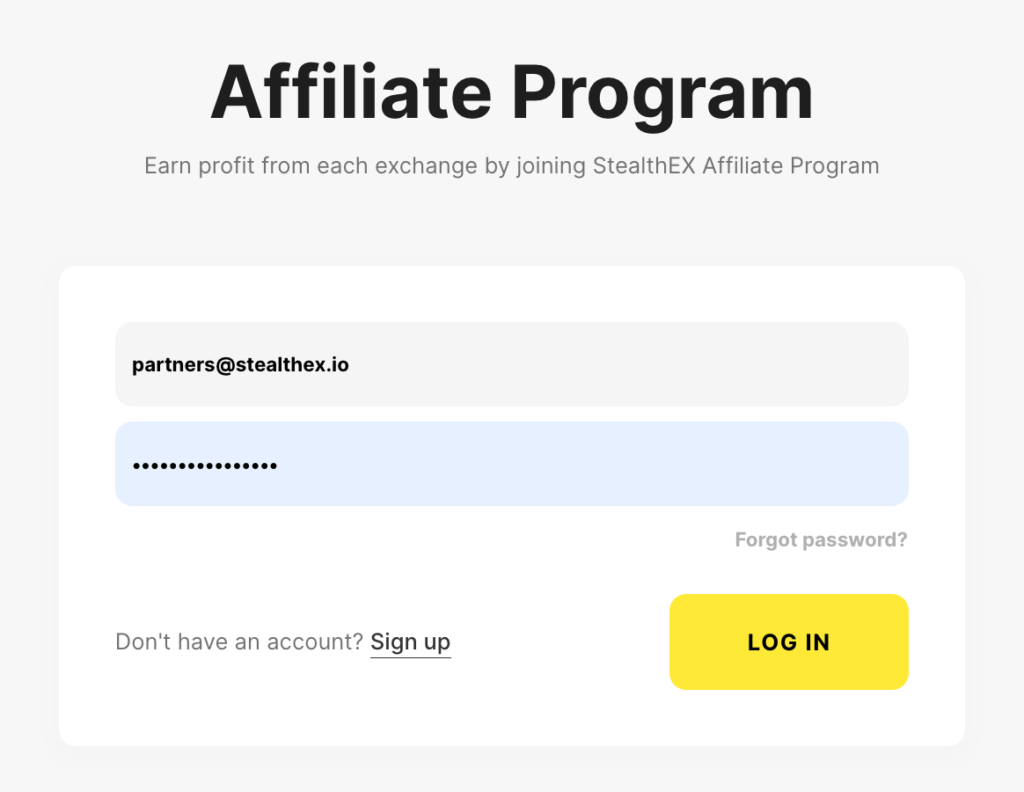
It’s simple to integrate StealthEX into any web application – the public crypto API is open for everyone and can be easily built into your existing product. To get an API Key, register at Affiliate Program. All API documentation is at hand for you to use it.
The service will take care of the rest, and StealthEX’s account management and support teams will always be there for you should you have any questions. StealthEX is always ready to help developers with marketing and integration, so adding API to your platform will be a smooth and hassle-free experience.
Market and All-in-One API
Swap APIs cover the exchange flow. Wallet apps also need market prices, balances, and portfolio data. CoinStats Crypto API covers all of these in one interface. It powers the CoinStats app. The app serves 1M monthly users.
Coverage includes 100,000+ coins, 200+ exchanges, 120+ blockchains, and 10,000+ DeFi protocols. The API resolves per-wallet DeFi positions automatically. Bitcoin xpub/ypub/zpub addresses are supported. Historical price data extends ten years back.
CoinStats also offers an MCP Server. It exposes wallet, DeFi, and portfolio data to AI agents and LLM-based assistants. Pricing is credit-based with a free tier. A developer guide covers endpoints and authentication.
How Crypto Wallets Are Developed: FAQ
Developing a crypto wallet requires a strong understanding of blockchain technology, cryptography, and secure software development practices. Picking a system and programming language that you are familiar with or have experience in is also helpful.
As the market of cryptocurrency and blockchain keeps growing, expertise matters! Agilie, the blockchain software development company, has over 14 years of experience supplying innovative, secure, scalable solutions for various financial services.
This company specializes in cutting-edge technologies for:
- Cryptocurrency;
- NFT;
- Smart contracts.
Their dedicated team of over 60 skilled software engineers provides a transparent full-cycle development approach for secure, scalable, and cost-effective products and services. Agilie crafted over 200 successful projects in 35 countries during 14 years. The company has a rich portfolio that showcases various successful cases: multi-digital and cryptocurrency wallets, p2p trading space for crypto transactions, NFT and AI-based apps, and much more. Learn more about Agilie and start your blockchain journey with the expert!
Can I Create My Own Crypto Wallet?
Businesses can build their own crypto wallets and integrate them with payment and other business solutions. As an individual without any programming skills, you can always download a ready-made crypto wallet and start using it.
How Much Does It Cost to Develop a Crypto Wallet?
Developing a cryptocurrency wallet app could range between $25,000 and $200,000.
How Are Crypto Wallets Generated?
A cryptocurrency wallet generates and uses a theoretical or random number, the length of which is determined by the algorithm size of the coin’s technological needs. The number is converted to a private key based on the cryptocurrency cryptography algorithm requirements.
How Long Does It Take to Develop a Crypto Wallet?
It depends on the complexity of your wallet and its features, budget, and planning. The development journey can extend over several months or even years.
How to Build a Multichain Wallet?
Building a multichain crypto wallet requires a high level of blockchain expertise and programming skills. That is why you need a reliable wallet development company that will build a multichain cryptocurrency wallet packed with user-friendly features tailored to meet your business needs.
Conclusion
Your wallet allows you to view your balance, send transactions, and connect to decentralized apps. Many wallets allow you to manage many crypto assets from a single application. That’s because wallets do not have custody of your money; you do. They’re simply a tool for keeping track of what belongs to you. That’s why, as any financial tool, it has to be user-friendly, secure, and easy to install. Whenever developing your own crypto wallet, make sure to do further research and consider incorporating additional features and functionalities based on your specific requirements and preferences.
Follow us on Medium, X, Telegram, YouTube, and Publish0x to stay updated about the latest news on StealthEX.io and the rest of the crypto world.
Don’t forget to do your own research before buying any crypto. The views and opinions expressed in this article are solely those of the author.
Bitcoin Bitcoin wallet crypto wallet cryptocurrency wallet EthereumThe post Cryptocurrency Wallet Development: A Comprehensive Guide for Beginners first appeared on StealthEX.]]>
In this comprehensive review, we will explore the Ledger Nano series, specifically the Nano X and the Nano S Plus, to help you understand why moving your digital assets into a cold storage wallet is a non-negotiable step for long-term crypto self-custody.

The concept of a cold storage wallet is simple: it is a physical device that keeps your Private Keys offline, away from internet-connected vulnerabilities. If you leave your funds on a centralized exchange, you are relying entirely on their internal security and solvency. By using a Ledger, you become your own bank.
In 2026, Ledger’s ecosystem has expanded far beyond simple storage. It integrates seamlessly with a vast array of decentralized applications, staking platforms, and decentralized exchanges (DEXs), allowing you to interact securely with the blockchain.
The Hardware: Nano X vs. Nano S Plus
Ledger currently offers two flagship devices that form the backbone of their consumer lineup. While both offer identical security standards, their hardware features cater to different user needs.
- Nano X: The premium model. It features a brushed metal casing, a slightly larger screen, a built-in battery, and most importantly, Bluetooth connectivity. This makes the Nano X ideal for users who want to manage their crypto on the go via their smartphones.
- Nano S Plus: The workhorse. Introduced as an upgrade to the legendary Nano S, the Nano S Plus offers increased storage capacity for decentralized applications and a larger screen, but it requires a direct wired USB-C connection to a PC or Android device. It lacks an internal battery and Bluetooth.
Ledger Model Comparison
| Feature | Ledger Nano S Plus | Ledger Nano X |
| Connectivity | USB-C (Wired only) | USB-C + Bluetooth |
| Secure Element | CC EAL5+ | CC EAL5+ |
| Screen Size | 128 x 64 pixels | 128 x 64 pixels |
| Internal Battery | No | Yes (100mAh) |
| App Capacity | Up to 100 apps | Up to 100 apps |
| Mobile Support | Android (via cable) | iOS & Android (via Bluetooth) |
Setting Up Your Own Ledger Wallet
Setting up a Ledger is a straightforward process designed to prevent common user errors. Follow these steps to ensure your device is configured securely:
- Initialize the Device: Connect your device to your computer via USB. Follow the screen prompts to set up a new device (or restore an existing one).
- Generate your Seed Phrase: The device will generate a 24-word recovery phrase. This is the most critical step. Write these words down on a physical piece of paper and store them in a secure, fireproof location. Never digitize this phrase—no screenshots, no photos, and no cloud uploads.
- Install Ledger Live: Download the official Ledger Live application to your desktop or mobile device.
- Install Apps: Connect your device to Ledger Live. Navigate to the “Manager” tab to install the specific apps needed for your assets (e.g., Bitcoin, Ethereum, Polkadot).
- Verify & Transact: Once the apps are installed, navigate to the “Accounts” tab to create accounts for your assets and receive your first deposit.
Pros & Cons of the Ledger Ecosystem
To offer an objective hardware crypto wallet review, we must weigh both the advantages and the limitations.
Pros:
- Industry-Leading Security: CC EAL5+ certified SE chip combined with a custom operating system (BOLOS).
- Massive Asset Support: Compatible with over 5,500 digital assets.
- Bluetooth Convenience: The Nano X allows seamless iOS and Android interactions.
- Third-Party Integration: Plays excellently with MetaMask, Phantom, Keplr, and other leading web extensions.
Cons:
- Screen Size: While improved, reading long blockchain addresses on the device can still be tedious.
- Battery Degradation: The internal battery on the Nano X will inevitably degrade over the years.
- Cost: Hardware wallets are an upfront investment compared to free software alternatives.
Quick Snapshot Summary
| Metric | Details |
| Pricing | Nano S Plus ($79)/ Nano X ($149) |
| Build Quality | Plastic & Stainless Steel brushed finish |
| Supported Assets | 5,500+ coins and tokens (BTC, ETH, SOL, DOT, etc.) |
| Best Suited For | Anyone serious about long-term asset security and DeFi |
Maximizing Security
The verdict for 2026 is clear: if you hold a meaningful amount of cryptocurrency, investing in a Ledger Nano X or Nano S Plus is one of the smartest decisions you can make. The unparalleled security provided by offline Private Keys guarantees that you, and only you, dictate what happens to your assets.
However, moving to a cold storage wallet doesn’t mean you have to sacrifice flexibility. Once your assets are secured on your Ledger, you can still swap them efficiently and anonymously using platforms like StealthEX. By pairing the robust security of your Ledger device with StealthEX’s instant, non-custodial exchanges, you ensure that your funds remain immune to exchange hacks while maintaining access to a limitless market of digital assets. Stay secure, stay decentralized, and take true ownership of your financial future.
Frequently Asked Questions
Is Ledger Wallet Really Safe?
Yes, Ledger wallets are considered very secure because they store private keys offline in a certified secure chip, reducing exposure to online attacks.
Do I Lose My Crypto if I Lose My Ledger?
No, you can recover your funds using your 24-word recovery phrase on a new device, as long as you kept it safe.
Can a Ledger Wallet Get Hacked?
The device itself is extremely hard to hack, but users can still lose funds through phishing, fake apps, or exposing their recovery phrase.
What Are the Disadvantages of a Ledger Wallet?
It costs money, has a small screen that can be inconvenient, and requires careful management of the recovery phrase.
Does Ledger Nano S Support XRP?
Yes, the Ledger Nano S (including S Plus) supports XRP along with thousands of other cryptocurrencies.
Make sure to follow StealthEX on Medium, X, Telegram, YouTube, and Publish0x to stay updated about the latest news on StealthEX and the rest of the crypto world.
Don’t forget to do your own research before buying any crypto. The views and opinions expressed in this article are solely those of the author.
cold wallet crypto wallet Ledger Ledger Wallet walletThe post Ledger Nano Review 2026: The Ultimate Guide to Crypto Self-Custody first appeared on StealthEX.]]>

What Is Phantom Wallet?
If you ask what is Phantom Wallet, the simplest answer is that it is a self-custodial crypto wallet that lets you store and manage your digital assets. It was built for the Solana blockchain, where it enables fast and low-cost transactions, but it now also supports Ethereum, Polygon, and Bitcoin.
You can use it as a browser extension or a mobile app, which makes access very easy. Unlike custodial wallets on exchanges, Phantom gives you full control of your private keys, so only you can access your funds.
| Blockchain | Support Level | Common Use Cases |
| Solana | Native / Full | Meme coins, Staking, NFTs, DePIN |
| Bitcoin | Full (Ordinals/BRC-20) | Long-term storage, Digital Artifacts |
| Ethereum | Full (L1 & L2) | DeFi, Blue-chip NFTs, Staking |
| Polygon / Base | Full Support | Low-fee transactions, Social Apps |
Is Phantom Wallet Safe?
Many beginners ask, “Is Phantom Wallet safe?”, and the answer depends on both the technology and the user. Phantom encrypts private keys on your device, so they never leave your control, and it also shows transaction previews to help you avoid malicious contracts.
The wallet includes biometric authentication on mobile and supports hardware wallets for extra protection. Phantom launched in 2021 and received backing from major investors, which adds credibility. However, your security still depends on how you store your recovery phrase and avoid scams.
| Feature | Phantom (Self-Custodial) | Exchanges (Custodial) |
| Key Ownership | You hold the Private Keys | Exchange holds the keys |
| Security | You are responsible | Third-party responsible |
| Access | Instant to dApps/Web3 | Withdrawal limits / KYC |
| Risk | Seed phrase loss | Platform hack or insolvency |
How to Set Up Phantom Wallet
If you want to learn how to set up Phantom Wallet, the process is simple but requires attention to detail. First, download the extension or mobile app from the official website or app store. After installation, click “Create New Wallet” and set a strong password.
Next, Phantom will generate your 12-word recovery phrase, which you must write down and store safely. This step is critical because it is the only way to recover your wallet. Finally, confirm the phrase to complete setup, and your wallet will be ready to use.
Securing Your Recovery Phrase
Your Phantom Wallet seed phrase is the most important part of your wallet, because it gives full access to your funds. If someone gets it, they can control everything, and if you lose it, you cannot recover your assets.
The safest method is to write the phrase on paper and store it in a secure place, such as a safe. Never save it on your phone, computer, or cloud storage, and never share it with anyone under any circumstances.
How to Find Your Phantom Wallet Address
If you want to learn how to find Phantom Wallet address, open your wallet and click your account name at the top. Your address will appear just below, and you can copy it with one click or use the QR code for quick sharing.
Keep in mind that each network has a different address format, so always choose the correct one before sending funds. Advanced users can also access private key details in settings, but this should be handled with extreme caution.
How to Add Money to Phantom Wallet
Understanding how to add money to Phantom Wallet is essential before you start using it. The easiest method is buying crypto directly through built-in on-ramps like MoonPay or Coinbase, where you can pay with a card or bank transfer.
You can also transfer funds from an exchange or another wallet by sending tokens to your Phantom address. Some methods require identity verification, and fees may vary depending on the provider and network.
How to Transfer from Coinbase to Phantom Wallet
If you want to know how to transfer from Coinbase to Phantom Wallet, start by copying your Phantom wallet address on the correct network, such as Solana. Then open Coinbase, select the asset like SOL, and click “Send.”
Paste your address, enter the amount, and confirm the transaction. It is best to send a small test amount first to make sure everything works correctly before transferring a larger balance.
Buying and Swapping Crypto on Phantom
If you are wondering how to buy meme coins on Phantom Wallet, you can use the built-in swap feature. Click “Swap,” choose the tokens you want to trade, and confirm the transaction directly inside the wallet.
For newer tokens, you may need to paste the contract address to find them. Always verify the source, because fake tokens are common. While swapping is fast and simple, it also carries risk, especially with low-liquidity or newly launched assets.
How to Change Slippage on Phantom Wallet
To understand how to change slippage on Phantom Wallet, open the swap window and click the settings icon. There, you can adjust slippage tolerance, usually between 1% and 10%, depending on the token and market conditions.
Slippage represents the price difference between expected and executed trades. Higher values increase the chance of completion, but they also expose you to worse prices, so you should always use the lowest setting that still allows the trade to go through.
How to Withdraw from Phantom Wallet
If you want to understand how to withdraw from Phantom Wallet to bank, you first need to send your crypto to an exchange like Coinbase. In Phantom, click “Send,” choose the token, paste your exchange deposit address, and confirm the transaction.
After the funds arrive, you can sell them for fiat and withdraw to your bank account. Transfers usually take from a few seconds to a few minutes, depending on the network.
| Step | Platform | Action | Timeframe |
| 1. Transfer | Phantom → Exchange | Send SOL/USDC to CEX address | 5–30 Seconds |
| 2. Exchange | CEX (Coinbase/Binance) | Sell Crypto for USD/EUR | Instant |
| 3. Withdraw | Exchange → Bank | Bank Transfer (ACH/SEPA) | 0–2 Business Days |
Staking on Phantom Wallet
If you want to learn how to stake on Phantom Wallet, open your wallet and select your SOL balance. Then click “Stake,” choose a validator, enter the amount, and confirm the transaction.
Staking on Solana usually offers around 5–7% APY, but rewards depend on the validator you choose. You should look for low fees, high uptime, and good reputation. Unstaking takes time, so your funds remain locked for a short period before becoming available again.
Managing NFTs and Tokens
If you are wondering, why do I have unknown tokens in my Phantom Wallet, the answer is simple. Many tokens appear automatically, including spam or promotional assets. You can view NFTs in the collectibles tab and manage tokens in your main balance view.
You can also add custom tokens by pasting a contract address, but always verify the source first. If you see suspicious tokens, you should hide them using the built-in filter instead of interacting with them.
Security Best Practices
If you ever search Phantom Wallet hacked what to do, it usually means something went wrong with security. To avoid this, always use a strong password, enable biometric protection, and never click unknown links or connect to suspicious dApps.
Phishing attacks and fake support messages are the most common threats. If your wallet is compromised, create a new wallet immediately and transfer any remaining funds. Never reuse the old recovery phrase, because it is no longer safe.
Advanced Features
For more advanced users, Phantom offers tools that go beyond basic usage. If you want to know how to connect Ledger to Phantom Wallet, you can link a hardware wallet to store keys offline while still using Phantom’s interface.
You can also create multiple accounts inside one wallet to separate funds or strategies. Developers benefit from built-in tools that simplify testing and interaction with blockchain applications.
Frequently Asked Questions
What Is Phantom Wallet and What Networks Does It Support in 2026?
Phantom Wallet is a leading non-custodial wallet that gives users full control of their crypto. In 2026, it supports Solana, Ethereum, Polygon, Bitcoin, and newer networks like Base, all within one simple interface.
Is Phantom Wallet Safe and Who Created It?
Phantom is safe because users control their private keys. It was created by Brandon Millman, Chris Kalani, and Francesco Agosti, and backed by top investors like Paradigm. Security includes audits and transaction simulations.
How to Find Your Phantom Wallet Address and Secure Your Recovery Phrase?
To find your address, open Phantom and copy it from your account view. If you search how to find Phantom Wallet private key, remember it is sensitive data. Your recovery phrase is the master key, so never share or store it online.
How to Buy Meme Coins and Swap Tokens on Phantom?
You can swap tokens directly in Phantom using built-in liquidity from DEXs. To buy meme coins, paste the contract address and confirm the trade. Always verify tokens, because scams are common in early-stage projects.
How to Withdraw Money From Phantom Wallet to a Bank Account?
Phantom does not connect directly to banks. You need to send crypto to an exchange like Coinbase or Kraken, sell it for fiat, and then withdraw funds to your bank account.
Conclusion
Phantom Wallet stands out as a leading multi-chain wallet that combines simplicity, strong security, and powerful features. It works especially well in the Solana ecosystem but continues to expand across networks. If you start step by step and follow basic safety rules, you can use it with confidence and explore Web3 without unnecessary risk.
Follow us on Medium, X, Telegram, YouTube, and Publish0x to stay updated about the latest news on StealthEX.io and the rest of the crypto world.
Don’t forget to do your own research before buying any crypto. The views and opinions expressed in this article are solely those of the author.
Bitcoin wallet crypto wallet cryptocurrency wallet Ethereum wallet walletThe post Phantom Wallet: Complete Setup & Security Guide 2026 first appeared on StealthEX.]]>

What Is a Cold Wallet?
A cold storage wallet is an offline device used to store cryptocurrency private keys without any internet connection. Because it stays disconnected, it removes the main attack surface hackers target. Cold wallets generate and store private keys entirely offline, keeping them isolated from malware, phishing, and exchange breaches. When you leave funds on platforms like Coinbase or Binance, the company controls the keys. With a cold wallet, you control them. That’s why the core principle remains: not your keys, not your crypto.
So, how does a cold wallet work? The device creates your private key offline and never exposes it to the internet. When you send crypto, the transaction is prepared on a connected computer or phone but signed inside the wallet itself. The private key signs the transaction offline, then the signed data is broadcast to the blockchain. The public address receives funds, while the private key proves ownership. Hardware wallets like Ledger use secure element chips to protect keys from extraction, even if the device is physically accessed.
Here’s a simple example using Ledger cold wallet and Bitcoin.
- You open Ledger Live and enter the recipient’s Bitcoin address and amount.
- The transaction details are sent to the Ledger device.
- The device displays the address and amount on its own screen. You verify them physically.
- Inside the wallet, the private key signs the transaction offline. The key never leaves the device.
- The signed transaction returns to Ledger Live.
- Ledger Live broadcasts it to the Bitcoin network.
- Miners validate the transaction and include it in a block.
- After confirmations, the recipient sees the BTC in their wallet.
At no point is the private key exposed to the internet. That’s the core security advantage of cold storage.
Types of Cold Storage Wallets
There are several types of crypto wallets designed for offline storage. While all cold wallets keep private keys away from the internet, they differ in usability and security level. The three main categories include hardware wallets (the most popular and practical option), paper wallets (the original method of cold storage), and metal backup solutions that protect recovery phrases. Each serves a different purpose depending on experience level and security needs.
Hardware Wallets
A hardware wallet is a physical device, usually USB-sized, built specifically to store cryptocurrency private keys offline. It uses Secure Element chips (often certified EAL5+) to protect keys from extraction and tampering. Every transaction must be confirmed on the device’s screen, which prevents man-in-the-middle attacks.
Most models support thousands of assets, including Bitcoin, Ethereum, XRP, Monero, and many altcoins. Leading brands include Ledger, Trezor, KeepKey, SafePal, Shift Crypto, Coinkite, and Ngrave. They combine strong security with relatively simple setup, making them the standard choice in 2026.
Paper Wallets
A paper wallet is an offline crypto wallet created by printing a public address and its matching private key, often displayed as QR codes. When generated on a fully offline computer, it provides true cold storage because the key never touches the internet.
However, paper wallets have practical drawbacks. Paper can burn, tear, fade, or get lost. Mistakes during key generation can also result in permanent loss of funds. For these reasons, hardware wallets have largely replaced paper wallets, although some long-term Bitcoin holders still use them for deep cold storage.
Steel / Metal Wallets
A metal or steel wallet is a physical crypto wallet designed to store your recovery seed phrase on a fireproof and damage-resistant surface. Instead of writing the 12- or 24-word phrase on paper, you engrave or assemble it using stainless steel or titanium plates.
Devices like Cryptosteel, Billfodl, and Ledger Cryptosteel Capsule protect against extreme heat (often 1400°C+), water, and corrosion. They do not store cryptocurrency themselves. They simply secure the recovery phrase that restores your hardware wallet if the device is lost or damaged. Prices usually range between $50 and $200.
Best Cold Wallets for Crypto in 2026
Choosing the best cold wallet for crypto depends on your portfolio size, security needs, and budget. In 2026, hardware wallets remain the gold standard for self-custody. Below are eight top-rated devices, compared by price, supported coins, security certification, and ideal user profile to help you decide.
| Device | Price | Supported Coins | Security Rating | Screen | Connectivity | Best For |
| Ledger Nano X | $149 | 5,500+ | EAL5+ SE | Small OLED | Bluetooth/USB-C | Beginners, mobile users |
| Trezor Model T | $219 | 1,800+ | Open-source | Color touchscreen | USB-C | Privacy advocates, experienced users |
| Coldcard Mk4 | $148 | Bitcoin only | Dual Secure Elements | OLED | microSD/USB | Bitcoin maximalists, security-focused |
| SafePal S1 | $50 | 10,000+ | Air-gapped | Color LCD | QR code only | Budget-conscious buyers |
| Ngrave Zero | $398 | 1,000+ | EAL7 (highest) | 4″ touchscreen | QR code only | High net worth individuals |
| BitBox02 | $149 | 1,500+ | Open-source | OLED | USB-C | Simplicity seekers, Europeans |
| KeepKey | $49 | 40+ | Standard | 3.12″ display | USB | Beginners on budget, large display |
| Tangem Wallet | $50-90 | 6,000+ | NFC chip | No screen (app) | NFC | Portability, frequent travelers |
Ledger Nano X

The cold wallet Ledger Nano X is one of the most popular hardware wallets worldwide. It supports over 5,500 cryptocurrencies, including Bitcoin, Ethereum, and XRP. It uses a CC EAL5+ Secure Element chip and PIN protection to safeguard private keys. The Ledger Live app allows portfolio management via desktop or Bluetooth mobile connection. Price: $149. Pros include broad asset support and strong mobile usability. Cons include closed-source firmware and a past customer data leak (no funds affected). Best for beginners and mobile-first users.
Trezor Model T

Often considered the best hardware wallet for open-source advocates, the Trezor Model T features a full-color touchscreen and fully transparent firmware. It supports 1,800+ cryptocurrencies, including Bitcoin, Ethereum, and XRP. The Shamir Backup feature lets you split your seed phrase into multiple shares for added protection. Price: $219. Pros include transparency and touchscreen convenience. Cons include higher cost and no Bluetooth. Ideal for privacy advocates and experienced users.
Coldcard Mk4

The Coldcard Mk4 is a bitcoin cold wallet designed exclusively for Bitcoin. It features dual Secure Elements, microSD transaction signing, and optional fully air-gapped operation without USB data transfer. It supports BIP39 passphrases and includes advanced features like duress PINs. Price: $148. Pros: extreme Bitcoin-focused security and open-source firmware. Cons: no support for Ethereum or altcoins and a steeper learning curve. Best for serious Bitcoin holders.
SafePal S1

The SafePal S1 is one of the most affordable options and is often marketed as the safest crypto wallet in the budget segment. It costs around $50 and supports 10,000+ cryptocurrencies, including Bitcoin, Ethereum, and XRP. It uses camera-based QR code transactions with no USB or Bluetooth connectivity, making it fully air-gapped. Pros: low price and broad support. Cons: plastic build and slower QR workflow. Ideal for budget-conscious users and Binance ecosystem users.
Ngrave Zero

The Ngrave Zero positions itself as the most secure crypto wallet available. It features a 4-inch touchscreen, biometric unlock, and EAL7-certified security — one of the highest ratings in consumer crypto devices. It operates fully air-gapped via QR codes. Price: $398. It supports Bitcoin, Ethereum, and 1,000+ coins. Pros: premium build and maximum isolation. Cons: high cost and fewer supported assets than Ledger. Best for high-net-worth individuals.
BitBox02

The BitBox02 is a Swiss-made hardware crypto wallet available in Bitcoin-only or multi-asset versions. Priced at $149, it features open-source firmware, USB-C connectivity, and microSD card backups. Its minimalist design appeals to users who value simplicity and transparency. Pros include clean interface and strong security. Cons include fewer supported coins compared to Ledger. Ideal for European users and simplicity seekers.
KeepKey

The KeepKey is a budget-friendly crypto hardware wallet owned by ShapeShift. It costs around $49 and supports 40+ cryptocurrencies. Its standout feature is a large 3.12-inch screen for clear transaction verification. Pros include affordability and easy integration with ShapeShift. Cons include limited coin support and bulkier design. Best suited for beginners who prefer a larger display.
Tangem Wallet

The Tangem Wallet offers a unique cold storage crypto solution in a credit-card format. It uses an NFC secure chip and works through a smartphone app, with no built-in screen. A 2–3 card bundle costs $50–90. It supports Bitcoin, Ethereum, XRP, and 6,000+ tokens. Pros include portability and durability. Cons include reliance on a phone for verification. Best for frequent travelers and users who value convenience.
Benefits of Using Cold Wallets
A cold wallet is widely considered the safest crypto wallet because it stays offline. With no internet connection, there is no remote attack surface for hackers. Malware, phishing links, and fake browser extensions cannot access your private keys. Most crypto thefts target hot wallets and centralized exchanges. Events like FTX and Mt. Gox showed how custodial platforms can fail. Cold storage removes that counterparty risk. Since private keys never touch the internet, around 99% of common crypto attack vectors simply do not apply.
Using a cold wallet means true self-custody. The idea behind a decentralized wallet is simple: not your keys, not your crypto. When funds sit on exchanges like Coinbase or Binance, they control the private keys. That means withdrawal limits, frozen accounts, or insolvency risks are possible. With a cold wallet, you control access completely. Unlike hot wallets such as MetaMask, which are online and exposed to browser risks, cold storage keeps your ownership independent and censorship-resistant.
Disadvantages and Limitations
Choosing the best cold storage wallet depends on your individual needs and risk tolerance.
- Start with portfolio size — if you hold more than $1,000 in crypto, a hardware wallet is usually a smart investment.
- Check supported coins — some devices focus only on Bitcoin, while others support Ethereum, XRP, and thousands of altcoins.
- Review security features such as Secure Element chips, open-source firmware, and air-gapped signing.
- Evaluate usability — consider screen size, touchscreen vs buttons, and mobile compatibility like Bluetooth on Ledger Nano X.
- Compare prices, from budget-friendly options like SafePal S1 to premium models such as Ngrave Zero.
- Finally, prioritize established brands with proven security track records to minimize long-term risk.
How to Set Up Your Cold Wallet
If you’re wondering how to get a cold wallet and set it up safely, follow these universal steps.
- Unbox the device and check tamper seals to ensure authenticity. Buy only from official stores, not random sellers on Amazon.
- Install the companion app, such as Ledger Live or Trezor Suite.
- Initialize the device and create a strong PIN.
- Generate your 12- or 24-word seed phrase. Never share it and never photograph it.
- Write the phrase on the recovery sheet or store it in a metal backup.
- Confirm the phrase when the device tests you.
- Add accounts for Bitcoin, Ethereum, XRP, and other assets.
- Send a small test transaction first.
When learning how to use a cold wallet, remember: never enter your seed phrase on a computer or website.
Using StealthEX with Your Cold Wallet
Using StealthEX with a hardware wallet is simple and efficient.
- Buy Bitcoin, Ethereum, XRP, or other coins directly on StealthEX without KYC.
- Open your cold wallet and generate a receiving address. Always verify it on the device screen.
- Paste that address into StealthEX and complete the exchange.
- Wait for confirmations: Bitcoin usually 10–60 minutes, Ethereum 5–15 minutes, XRP under 5 minutes.
- Confirm receipt in your wallet app.

StealthEX does not custody funds. It performs instant wallet-to-wallet swaps, which makes it ideal for cold storage workflows.
Cold Wallet vs Hot Wallet: Key Differences
Understanding hot wallet vs cold wallet differences helps you choose the right storage strategy.
| Feature | Cold Wallet (Hardware) | Hot Wallet (Software) | Hot Wallet (Exchange) |
| Internet Connection | Offline (air-gapped) | Online (internet required) | Always online |
| Security Level | Highest (99% attack-proof) | Medium (malware/phishing risk) | Lower (exchange hack risk) |
| Private Key Control | You control fully | You control | Exchange controls |
| Transaction Speed | Slower (device connection needed) | Instant | Instant |
| Upfront Cost | $50-400 one-time | Free | Free |
| Learning Curve | Medium (setup required) | Low | Very low |
| Examples | Ledger, Trezor, Coldcard, SafePal | MetaMask, Trust Wallet, Exodus, Electrum | Coinbase, Binance custody |
| Hacking Vulnerability | Extremely low (offline) | Medium (online attacks) | High (centralized target) |
| Best Use Case | Long-term holdings (80-90%) | Daily transactions, DeFi interaction | Active trading, frequent buys/sells |
| Recovery Method | Seed phrase backup | Seed phrase backup | Email/password reset |
In the debate of what is a cold wallet vs hot wallet, the core difference is internet exposure. Devices like Ledger and Trezor stay offline. Software wallets such as MetaMask, Trust Wallet, Exodus, and Electrum operate online. Exchange wallets are custodial. The best approach is to use both: keep spending funds in a hot wallet and store 80–90% of long-term holdings in cold storage.
Best Practices for Cold Wallet Security
Keeping a secure crypto wallet isn’t complicated, but it does require discipline. The most important rule is simple: protect your recovery phrase. Write it down clearly, store it in a safe place, and never save it as a photo or in cloud storage. For extra protection, consider a metal backup and keep copies in separate secure locations.
Store your hardware wallet somewhere discreet, especially if it protects significant funds. When sending crypto, always double-check the address on the device screen before confirming. Keep your firmware updated using official apps like Ledger Live or Trezor Suite.
Never type your seed phrase into a website or computer. Ignore emails that claim to be from Ledger or Trezor asking for it. If your wallet supports advanced options like duress PINs or passphrases, use them. And before storing large amounts, practice restoring your wallet to make sure you understand the process.
| Backup Method | Durability | Cost | Security Level | Fire Resistant | Water Resistant | Best For |
| Paper (included with device) | Low | Free | Medium (if stored properly) | No | No | Temporary storage, small amounts |
| Laminated paper | Medium | $1–5 | Medium | No | Partial | Short-term holdings |
| Metal backup (Cryptosteel, Billfodl) | Very high | $50–200 | High | Yes (1400°C+) | Yes | Serious investors, long-term storage |
| Engraved steel plate | Very high | $30–100 | High | Yes | Yes | DIY enthusiasts |
| Bank safe deposit box | Depends on storage | $50–200/year | Very high (physical security) | Yes (vault) | Yes | Large portfolios, inheritance planning |
| Multiple geographic locations | N/A | Travel costs | Highest (redundancy) | Varies | Varies | High net worth, disaster protection |
| Memorization (not recommended) | N/A | Free | Very low (memory failure) | N/A | N/A | Not recommended for any amount |
Frequently Asked Questions
Is Ledger or Trezor Better?
Ledger supports 5,500+ coins, offers Bluetooth, and uses a Secure Element chip. It’s beginner-friendly and costs around $149. Trezor is fully open-source, has a touchscreen, and includes Shamir Backup, but costs about $219 and lacks Bluetooth. Ledger suits users who want broad coin support. Trezor appeals to open-source and privacy-focused users. Both are industry leaders with strong security records.
Does Your Crypto Grow in a Cold Wallet?
A cold wallet does not generate returns by itself. It only stores your private keys securely. Your crypto grows if the market price rises, for example if Bitcoin increases in value. Some hardware wallets allow staking for certain coins, which can earn rewards, but the wallet itself does not automatically produce passive income.
What Is Actually Stored on a Cold Wallet?
With cold wallet storage, the device stores your private keys, not the cryptocurrency itself. Coins like Bitcoin, Ethereum, or XRP exist on their blockchains. The wallet simply holds the cryptographic key that proves ownership and signs transactions. Think of it like a bank card, while the blockchain acts as the bank account. If the device is lost, the seed phrase restores access.
Are Cold Wallets Completely Safe?
A cold wallet is the most secure crypto wallet type, but nothing is 100% risk-free. Physical theft, poor seed storage, or buying from unofficial sellers can still cause loss. However, offline storage removes most remote attack risks like malware or phishing. For holdings above $1,000, cold storage is strongly recommended.
Conclusion
In 2026, crypto cold storage remains the safest way to protect long-term holdings. From budget options like SafePal S1 to premium devices like Ngrave Zero, there’s a solution for every investor. Popular choices include Ledger Nano X for beginners, Trezor Model T for open-source fans, and Coldcard Mk4 for Bitcoin holders. Secure your seed phrase, verify addresses, and start small. Remember: “Not your keys, not your crypto.”
Make sure to follow StealthEX on Medium, X, Telegram, YouTube, and Publish0x to stay updated about the latest news on StealthEX and the rest of the crypto world.
Don’t forget to do your own research before buying any crypto. The views and opinions expressed in this article are solely those of the author.
cold wallet crypto wallet cryptocurrency wallet hard wallet Ledger WalletThe post What Are Crypto Cold Wallets? Complete Guide for 2026 first appeared on StealthEX.]]>
| 0x742d35Cc6634C0532925a3b844Bc454e4438f44e |
| 0x281055afc982d96fab65b3a49cac8b878184cb16 |
These are valid Ethereum address examples. They might look complicated, but once you understand the pattern, they are easy to recognize.
In this guide, you’ll learn what an Ethereum address is, its types, how to find an ETH address, and the safest way to use it.
What Is an Ethereum Address? Examples
An Ethereum address is like an account number on the blockchain. It shows where to send or receive ETH and tokens built on Ethereum. Each address is unique, made up of 42 characters. It always begins with 0x, followed by a mix of numbers and letters.
For example:
| 0xde0B295669a9FD93d5F28D9Ec85E40f4cb697BAe |
| 0x6fC2109eC5c3F77d06A0D3e694F79431c43B3D4E |
These examples represent the standard Ethereum address format. The characters may look random, but the blockchain uses them to confirm and process transactions securely.
Ethereum addresses are not case sensitive. You can use all lowercase or a mixed version without changing the destination. Some wallets show a “checksummed” version with uppercase letters to make it easier to spot typing mistakes. Both lowercase and checksummed versions point to the same address.
Unlike Bitcoin, Ethereum does not use different legacy formats. Every ETH address follows one consistent structure: 0x + 40 characters. This makes it simple to recognize and reduces the chance of confusion with other blockchains.
Always verify that the address starts with 0x and matches your intended recipient. Sending coins to the wrong address means permanent loss.
Ethereum Wallet Address Types and Format
Ethereum addresses all follow the same structure: 42 characters starting with 0x. The difference lies in how they are displayed by wallets or explorers. Here are the main formats you should know.
Standard Ethereum Address
The standard format uses only lowercase letters and numbers. It is accepted everywhere and works without issues. Example:
| 0xa7d9ddbe1f17865597fbd27ec712455208b6b76d |
This version is easy to copy and paste, but offers no protection against typos.
Checksummed ETH Address
The checksummed format, introduced in EIP-55, mixes uppercase and lowercase letters. The pattern is based on the Keccak-256 hash of the address. Example (same address as above, but in checksummed form):
| 0xa7d9dDbE1f17865597Fbd27Ec712455208b6b76D |
This style helps detect mistakes. If you change a letter incorrectly, many wallets will flag the error before you send funds.
Both versions point to the same Ethereum address, but the checksummed one adds an extra layer of safety.
Contract Address
Some addresses belong to smart contracts rather than individual wallets. They look the same but represent deployed code on the blockchain. Example:
| 0x89d24A6b4CcB1B6fAA2625fE562bDD9a23260359 |
Always confirm contract addresses from official sources before interacting with them. A wrong address can cause permanent loss.
How to Find ETH Address in Your Wallet?
If you’re just starting with Ethereum, the first step is knowing how to find your ETH address. Don’t worry — it’s much easier than it looks.
Open your crypto wallet app or browser extension and select Ethereum (ETH) from the list of coins. Look for the option that says “Receive”. Once you tap it, your ETH address will appear (you can easily copy it).
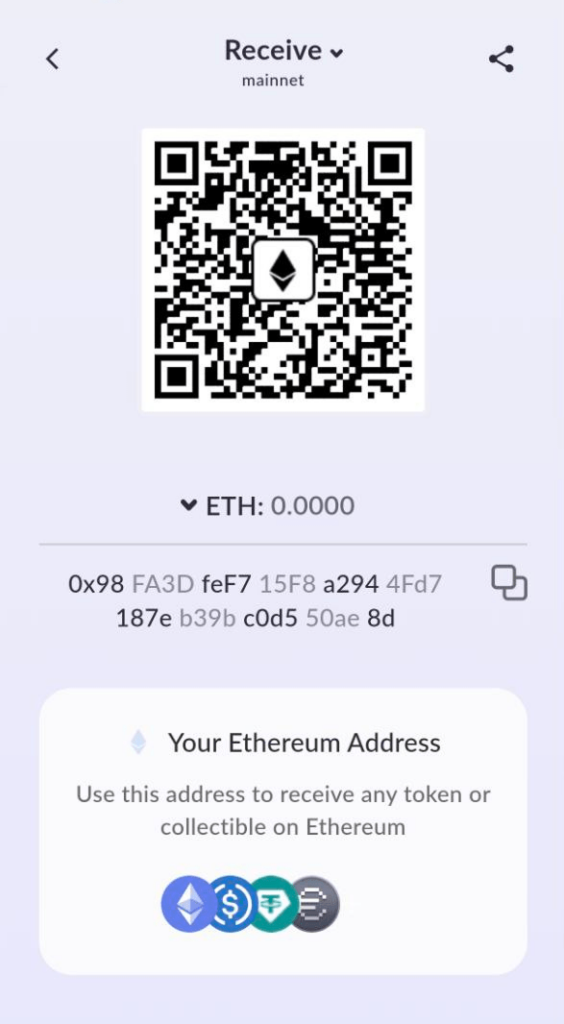
Most wallets also give you a QR code version of the same address. This is handy if you want to receive coins quickly without copying and pasting.
Never type the address by hand. Copy and paste it directly from your Ethereum wallet to avoid mistakes.
Now you know exactly how to find your ETH address and share it with others when you want to receive funds.
Ethereum Address – How to Stay Safe?
Using your ETH address is simple, but safety always comes first. Crypto transfers are irreversible, so one mistake can mean losing your funds. Follow these tips to stay secure:
- Check the format – Every blockchain has its own address format. Ethereum addresses always start with 0x. Make sure you send ETH only on the Ethereum network.
- Copy, don’t type – ETH addresses are long and complex. Never type an address by hand. Always copy and paste.
- Verify start and end – After pasting, double-check the first and last 4 characters. This helps spot malware or copy-paste errors.
- Send a small test first – If you plan to transfer a large amount, try with a tiny amount first. Once it arrives, send the rest.
- Remember: no refunds – Crypto transfers cannot be reversed. If you send ETH to the wrong address, there’s no way to get it back.
- Use address whitelists – On exchanges, save trusted addresses. This adds a layer of protection.
- Watch out for phishing. Always make sure you’re sending to the right person or official contract. Fake addresses are a common scam.
Ready to Use Your Ethereum Address?
Now that you understand the ETH address format and how to keep it safe, you’re ready to use it.
With StealthEX, you can instantly exchange Ethereum for more than 2,000 other assets. There’s no registration, no custody, and no risk of your funds being held by a third party. Everything goes straight to your wallet.
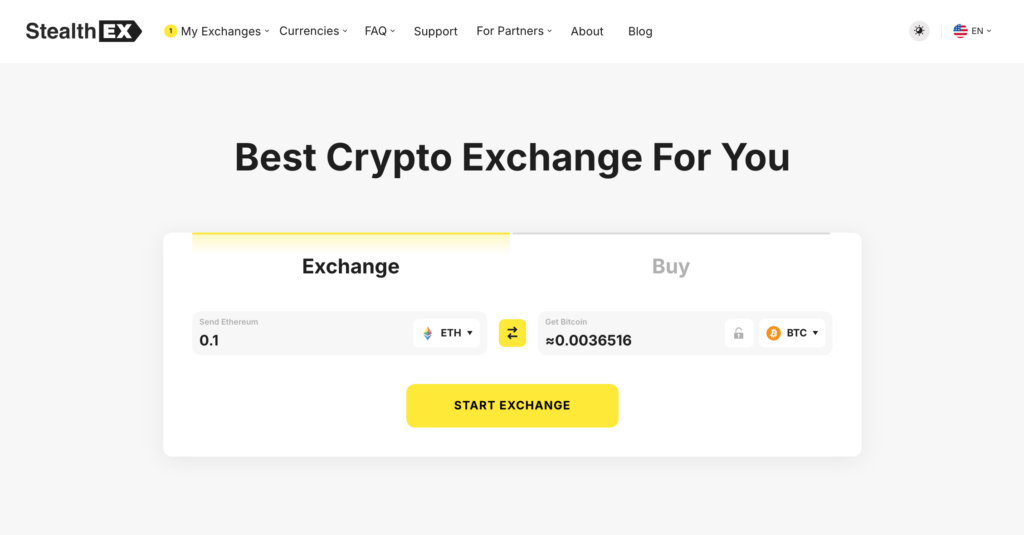
Here’s how it works:
- Go to the official StealthEX website.
- Pick a crypto pair. Example: ETH → BTC.
- Paste the address for the coin you want to receive. Swapping to Bitcoin? Paste your BTC address.
- Send your ETH deposit to the address StealthEX shows.
- Receive the exchanged coins directly in your wallet.
Ready to try it? Swap Ethereum with StealthEX and access over 2,000 assets today.
Follow us on Medium, X, Telegram, YouTube, and Publish0x to stay updated about the latest news on StealthEX.io and the rest of the crypto world.
cryptocurrency ETH Ethereum wallet wallet addressThe post What Does an Ethereum Address Look Like? ETH Wallet Address Format and Example first appeared on StealthEX.]]>